
Download Pocket Dictionary 25in1 lite – free offline dictionary app, 25 dictionaries, quick word lookup
Overview
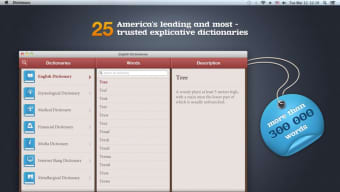
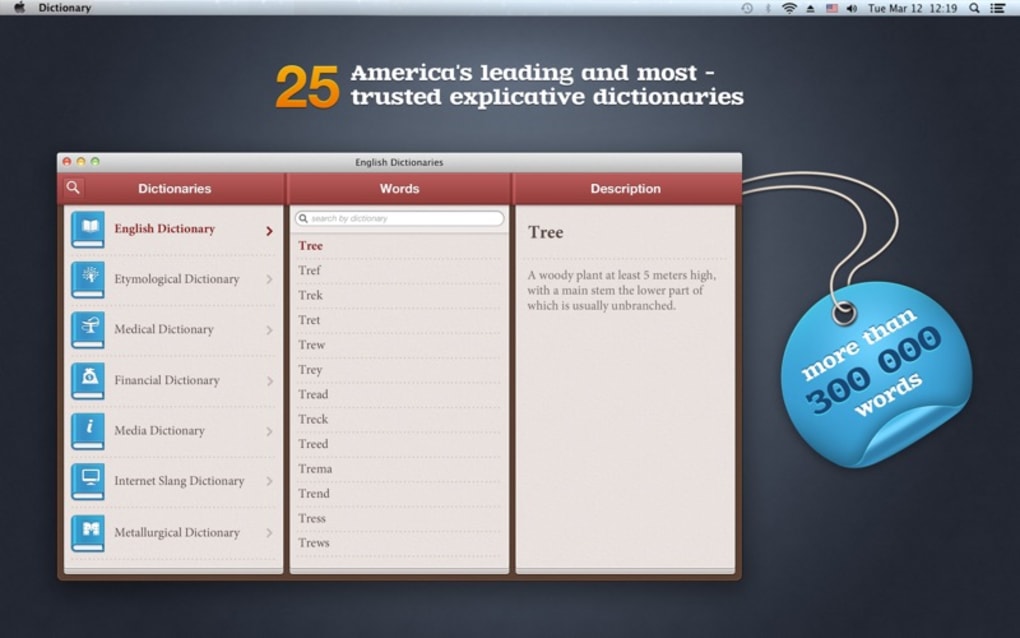
Pocket Dictionary 25in1 lite is a compact yet surprisingly powerful reference tool that brings up to twenty‑five specialised dictionaries right to the palm of your hand. Whether you need a classic English‑to‑English definition, a quick synonym finder, or even a whimsical dream‑interpretation guide, this app consolidates them into a single, portable package. The “lite” version is completely free, making it an attractive option for students, travelers, writers, and anyone who values instant access to reliable word information without an internet connection.
While the interface leans toward simplicity, the underlying database is extensive, covering everyday vocabulary, technical jargon, idioms, and even niche topics like dream symbols. Users appreciate the fact that the app works offline, meaning you can download it once and rely on it anywhere—on a train, in a remote cabin, or during a flight. The design philosophy focuses on minimalism: a single search bar, a clear results pane, and a dropdown to select the desired dictionary.
However, because the app packs many dictionaries into one lightweight container, the search engine sometimes struggles to automatically select the most appropriate source, requiring a manual dictionary switch. Despite this minor inconvenience, Pocket Dictionary 25in1 lite remains a secure, ad‑free solution that receives regular updates to improve speed and add new word entries. It’s compatible with the major mobile platforms, and a Windows desktop version is also available for users who prefer a larger screen.
Key Features and Benefits
- Twenty‑five distinct dictionaries in one app, covering English, synonyms, antonyms, idioms, medical terms, legal jargon, and a dream‑definition guide.
- Full offline capability – no need for a data connection after the initial download.
- Simple, clean user interface with a single search bar and instant results.
- Fast, secure updates that keep the word database current without compromising privacy.
- Multi‑platform support: Android, iOS, Windows, and MacOS versions are all available.
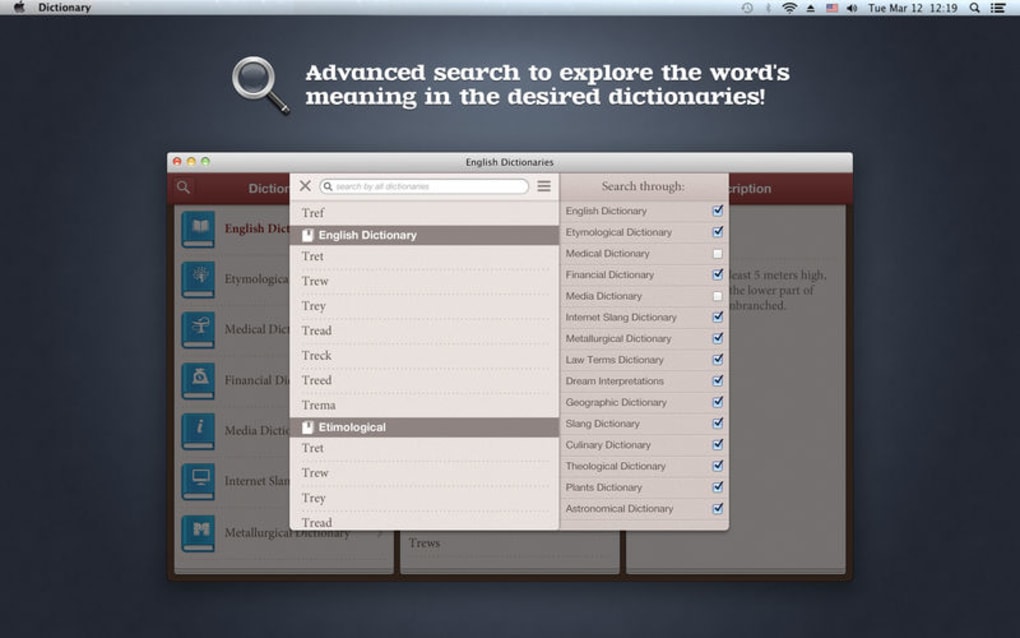
- Customizable dictionary selection – users can manually choose which dictionary to query for more accurate results.
- Lightweight installation package (under 15 MB) ensures quick download and minimal storage impact.
- Ad‑free experience in the lite version, preserving focus on learning rather than distractions.
- Built‑in pronunciation playback for English words, useful for language learners.
- Secure handling of user data – the app does not store personal search history on external servers.
These features translate into concrete benefits for everyday users. Students can look up academic terminology without flipping through multiple textbooks, while writers gain instant access to synonyms and idiomatic expressions that enrich their prose. Travelers benefit from the offline nature of the app, allowing them to decipher street signs or menus in regions with limited connectivity.
Even hobbyists interested in dream analysis can explore symbolic meanings without browsing the web. The regular, secure updates guarantee that the dictionary stays relevant, adding contemporary slang and newly coined technical terms as they emerge. Because the app is free and ad‑free, there’s no hidden cost or intrusive marketing, making Pocket Dictionary 25in1 lite a trustworthy companion for anyone who values quick, reliable word lookup.
Installation, Usage & Compatibility
Downloading and installing: The process begins on the official app store for your platform – Google Play Store for Android, Apple App Store for iOS, Microsoft Store for Windows, or the Mac App Store for macOS. Simply search for “Pocket Dictionary 25in1 lite,” tap the Download button, and allow the app to install. The installation package is under 15 MB, so it downloads quickly even on slower connections. Once installed, the app automatically extracts the core dictionary files, which occupy roughly 30 MB of storage space. No additional configuration is required, making the first‑run experience seamless.
First‑time setup: When you launch the app for the first time, you’ll see a brief tutorial overlay that explains the main search bar, dictionary selector, and result view. You can dismiss the tutorial or explore it later via the Settings menu. The app also prompts you to enable automatic updates; we recommend keeping this option on so you receive the latest word additions and performance improvements.
How to use the search function: Type a word or phrase into the central search field and press the magnifying glass icon. By default, the app searches across all available dictionaries, but you can narrow the scope by tapping the dropdown arrow next to the search bar and selecting a specific dictionary (e.g., “Dream Definitions” or “Medical Terms”). The result pane displays the definition, pronunciation button, and any related synonyms or antonyms. For dream‑related queries, an additional paragraph explains common symbolic interpretations.
Platform compatibility: Pocket Dictionary 25in1 lite runs on Android 6.0 (Marshmallow) and newer, iOS 12.0 and newer, Windows 10 (including the latest 11 updates), and macOS 10.13 (High Sierra) onward. The app is optimized for both smartphones and tablets, with responsive layouts that adapt to larger screens on laptops and desktop computers. Because the software is built with native APIs for each OS, performance remains smooth and the interface feels familiar on each platform.
Troubleshooting tips: If the search feels sluggish, ensure you have the latest update installed and clear the cache via Settings → Storage → Clear Cache. On Android, disabling battery‑optimization for the app can prevent background throttling that sometimes slows dictionary loading. On iOS, a simple restart of the app often resolves temporary lag. For Windows users, running the app as administrator can help if you encounter permission errors when the app tries to write new dictionary files during an update.
Overall, the installation and usage workflow is designed to be as frictionless as possible, allowing you to focus on looking up words rather than wrestling with setup. The cross‑platform nature ensures that whether you’re on a desktop in an office or a handheld device on a hike, Pocket Dictionary 25in1 lite delivers consistent, reliable performance.
Pros, Cons & Frequently Asked Questions
Pros
- Free and ad‑free, providing a distraction‑free learning environment.
- Offline functionality guarantees access without internet.
- Wide variety of dictionaries, including niche topics like dream interpretation.
- Lightweight installation and regular secure updates.
- Cross‑platform support for Android, iOS, Windows, and macOS.
Cons
- Search algorithm sometimes defaults to an unexpected dictionary, requiring manual selection.
- Interface can feel a bit clunky on older devices due to limited hardware resources.
- No built‑in flashcard or spaced‑repetition feature for language learners.
- Limited customization of the UI theme (only light mode available).
FAQ
Is Pocket Dictionary 25in1 lite completely free?
Yes, the lite version is 100 % free and does not contain any advertisements. All core dictionaries are available without in‑app purchases.
Can I use the app without an internet connection?
Absolutely. Once the app is installed, all dictionaries are stored locally, so you can search offline on any device.
How often does the dictionary get updated?
Updates are released roughly every month. They include new words, updated definitions, and performance improvements. Automatic updates can be enabled in the Settings menu.
Is the app compatible with Windows tablets?
Yes, the Windows version runs on both desktop PCs and tablets that meet the minimum system requirements (Windows 10 or later).
How secure is my search data?
The app does not transmit search queries to external servers. All data stays on your device, ensuring privacy and security.
Conclusion & Call to Action
Pocket Dictionary 25in1 lite stands out in the crowded market of language tools because it packs an impressive library of specialized dictionaries into a lightweight, free, and ad‑free package. Its offline capability, regular secure updates, and cross‑platform availability make it a dependable companion for anyone who needs quick, accurate word definitions—whether you’re studying for exams, drafting a report, or simply satisfying a curiosity about dream symbolism. While the search engine isn’t always perfect and the UI may feel a bit dated on legacy devices, these drawbacks are outweighed by the sheer value of having twenty‑five reference sources at your fingertips without spending a dime.
If you’re looking for a trustworthy, secure, and versatile dictionary app that works on Android, iOS, Windows, and macOS, download Pocket Dictionary 25in1 lite today. Click the button below to get the latest version from your preferred app store, enable automatic updates, and start exploring the world of words instantly—no internet required.







